이 통합은 자체 호스팅 Redis Enterprise 클러스터용이며 Redis 호스팅 클라우드 또는 다양한 마켓플레이스 Redis Enterprise 제품이 아닙니다.
아키텍처
Redis Enterprise 통합은 두 가지 모드로 실행할 수 있습니다.
전제 조건
설치 로 이동하기 전에 다음 전제조건을 충족하는지 확인하십시오.
Redis Enterprise에서 모니터링 계정 생성
Redis Enterprise 계정에 모니터링 계정을 만듭니다.
Redis Entprise 인스턴스에 로그인하고
Access Control
클릭합니다.
팁
내부 계정을 사용하는 것이 좋지만 LDAP가 활성화된 경우 LDAP를 사용할 수 있습니다.
Cluster View Permissions
사용하여 새 사용자 계정을 추가합니다.
New Relic 인프라 에이전트를 설치했는지 확인하십시오.
New Relic 인프라 에이전트를 설치했는지 확인하려면 다음 명령을 실행합니다.
$sudo service newrelic-infra status -lLinux 배포판에 따라 다음 명령을 실행해야 할 수 있습니다.
$sudo /bin/systemctl status -l newrelic-infra.service아직 설치하지 않은 경우 인프라 에이전트 설치 방법을 참조하십시오.
설치 및 구성
Github 에서 OS에 맞는 최신 TAR 파일을 다운로드합니다.
다음을 실행하여 TAR 파일의 압축을 풉니다.
bash$sudo su -$mkdir -p /tmp/nr_install$cd /tmp/nr_install$wget $RELEASE_DOWNLOAD$tar zxvf *.tar.gz다음을 실행하여 폴더를 만들고 TAR 파일에서 이 새 폴더로 파일을 복사합니다.
bash$mkdir -p /var/db/newrelic-infra/custom-integrations/bin$cp newrelic-redis-enterprise /var/db/newrelic-infra/custom-integrations/bin$cp conf/redis-redisenterprise-definition.yml /var/db/newrelic-infra/custom-integrations/$cp conf/redis-redisenterprise-multi-config.yml.example conf/redis-redisenterprise-multi-config.yml다음을 실행하여 통합을 구성합니다.
bash$vi conf/redis-redisenterprise-multi-config.yml$mv conf/redis-redisenterprise-multi-config.yml /etc/newrelic-infra/integrations.d/redis-redisenterprise-config.yaml다음을 실행하여 사용자 이름과 비밀번호를 테스트합니다.
bash$curl -vk -u devops@example.com:password https://CLUSTER.FQDN:9443/v1/cluster다음을 실행하여 New Relic을 다시 시작합니다.
bash$sudo service newrelic-infra restart
이 문서가 설치하는데 도움이 되셨나요?
구성 매개변수
매개변수 | 정의 | 값 |
|---|---|---|
| Redis 클러스터의 도메인 | localhost 모드에서 실행하는 경우 사용 |
| Redis Enterprise API 포트 | 기본 포트는 |
| 생성한 Redis 사용자 | 다음과 같은 이메일 주소 |
| 너의 비밀번호 |
대시보드 설치
one.newrelic.com/marketplace 으)로 이동합니다.
Dashboards 탭을 클릭하고 검색 필드에 Redis Enterprise 입력합니다.
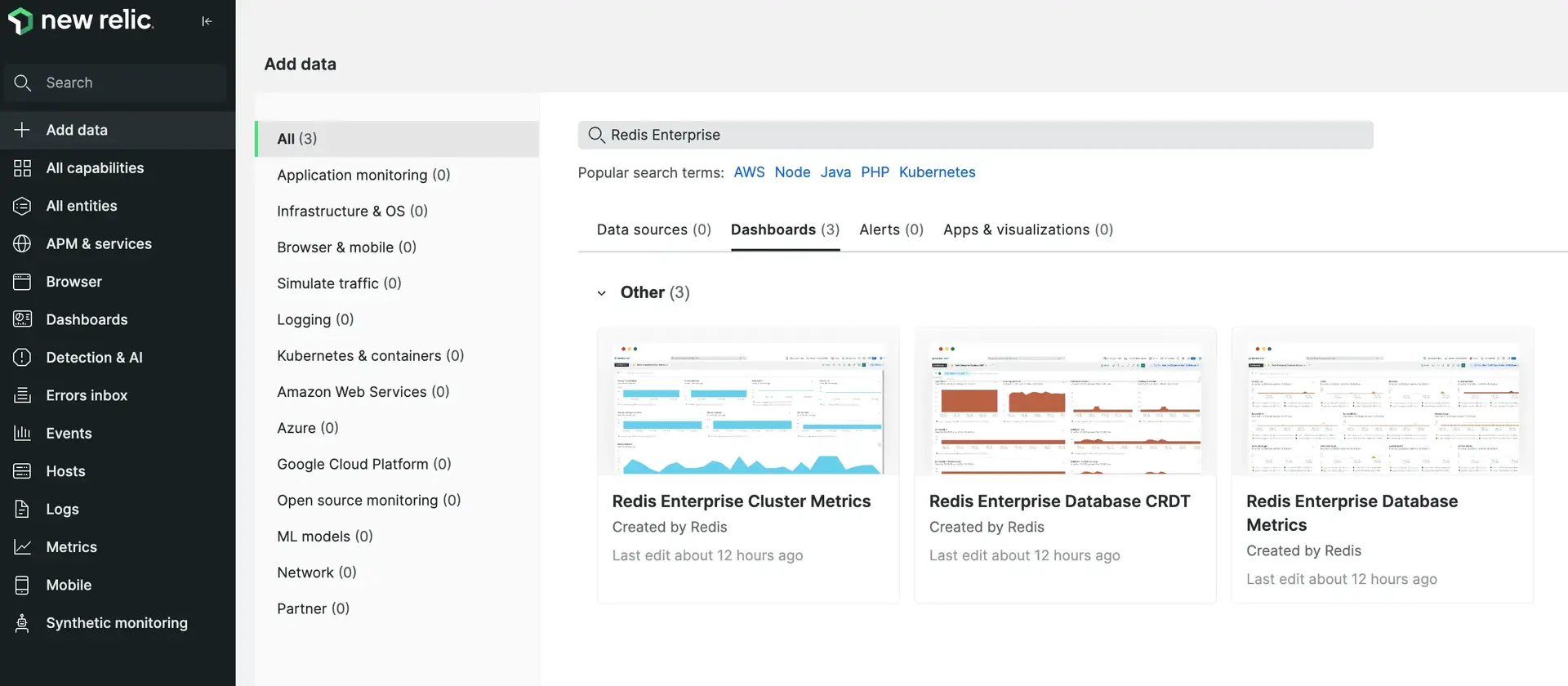
팁
추가할 대시보드를 알고 있는 경우 다음 링크 중 하나를 클릭합니다.
대시보드 중 하나를 클릭하고 드롭다운 메뉴에서 계정을 선택하세요. 그런 다음 View dashboard 클릭하여 계정에 추가하세요.