Docker container monitoring provides real-time visibility into your containerized applications to ensure reliable performance and prevent resource bottlenecks in distributed systems. Using OpenTelemetry Collector, you get comprehensive monitoring through a flexible, vendor-neutral approach that works across various container orchestration platforms.
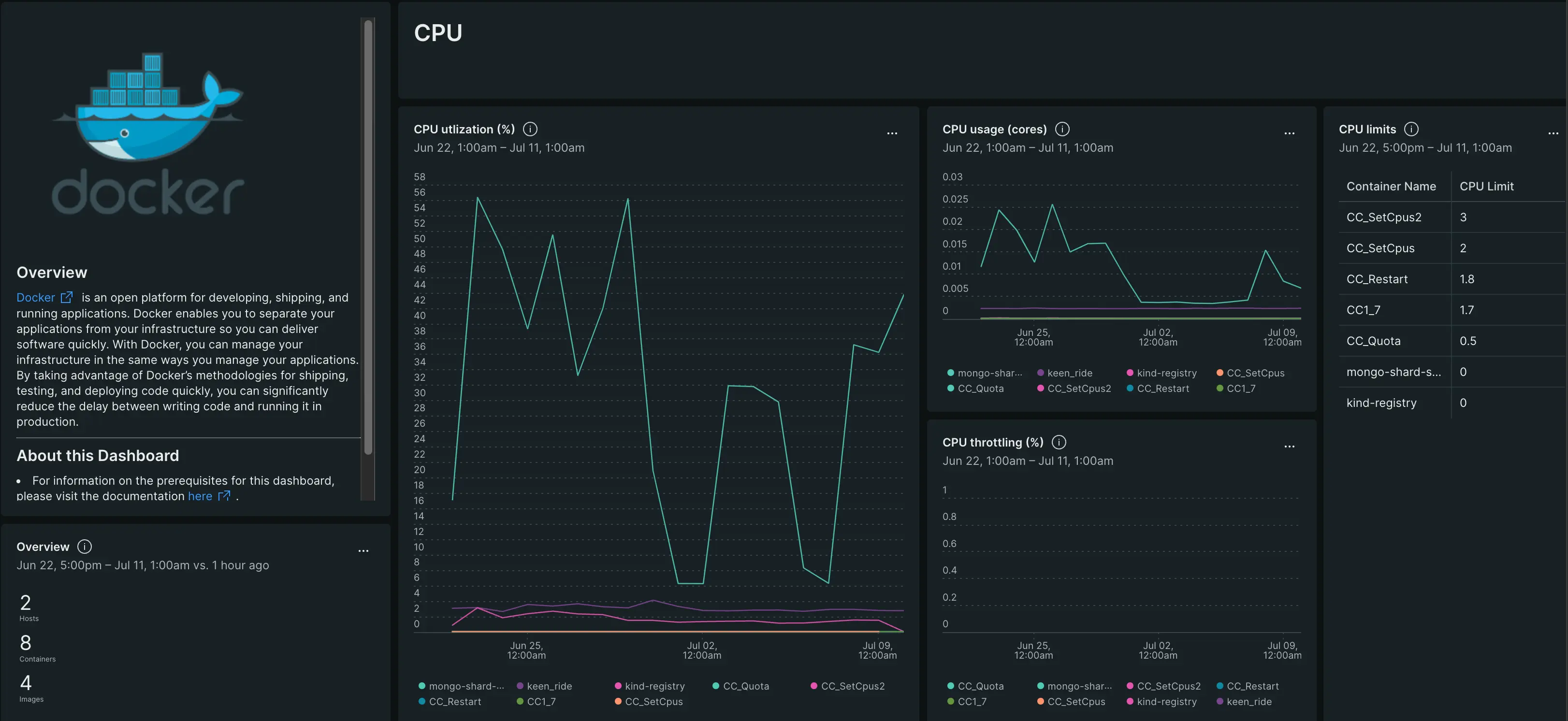
Monitor your Docker containers with comprehensive dashboards showing CPU utilization, memory usage, network I/O, and container lifecycle metrics.
重要
Supported operating systems: This integration currently supports Linux hosts only. Windows and darwin is not supported at this time. Please refer to the official documentation for the dockerstatsreceiver
Why monitor Docker containers?
Container monitoring is essential for maintaining application performance and reliability in containerized environments. OpenTelemetry provides a standardized approach to collect and analyze this critical data.
Key benefits
- Resource optimization: Track CPU, memory, network, and I/O usage to identify resource bottlenecks and optimize container resource allocation
- Proactive monitoring: Get alerts before containers exhaust resources, detect container failures early, and monitor container health
- Operational insights: Understand container lifecycle patterns, track performance trends, monitor container restart patterns and failure rates
- Cost management: Monitor resource utilization to right-size containers and optimize infrastructure costs
- Future-proof: Open-source OpenTelemetry standard provides vendor-neutral integration that adapts as your infrastructure evolves
Common use case
Whether you're running microservices, web applications, or batch processing workloads, Docker monitoring helps you maintain reliable containerized services. Get notified when containers are consuming excessive memory, detect when your API containers are overwhelmed with requests, or identify which containers are experiencing network bottlenecks. This monitoring is essential for containerized applications handling user traffic, background job processing, data pipelines, and any workload where container performance directly impacts application reliability and user experience.
Get started
Ready to begin monitoring your Docker containers? Follow the setup guide for your environment.
How it works
The OpenTelemetry Collector connects to your Docker daemon using the Docker Stats API to collect comprehensive container metrics:
Data collection:
Docker Stats receiver connects to the Docker socket (typically /var/run/docker.sock) to collect real-time container metrics including CPU, memory, network, and block I/O statistics.
Data flow:
- The collector queries the Docker daemon's Stats API at regular intervals (default: 15 seconds)
- Container metrics are collected, processed, and enriched with container metadata (name, image, ID)
- Data is batched for efficient transmission to reduce network overhead
- Metrics are exported to New Relic via the OTLP exporter
- New Relic automatically creates container entities and populates monitoring dashboards
What you get: Key metrics include CPU usage and utilization, memory usage and percentage, network I/O (bytes transmitted/received, packets dropped/errors), block I/O operations, and process counts. Container metadata such as name, image, and ID are automatically attached to all metrics.
For complete metric names, descriptions, and alerting recommendations, see Docker metrics reference.
Next steps
Ready to start monitoring your Docker containers?
Set up monitoring: Install Docker OpenTelemetry integration - Monitor Docker containers running on physical or virtual machines
After setup: Explore Docker metrics - Complete metrics reference with alerting recommendations