This document covers how to:
- Maintain a single or a few healthy applications/services
- Identify the vulnerabilities with the highest risk in your software stack
- Surface tasks from your security team in your daily workflow so it's easy to deliver more secure software with less toil
If this workflow doesn't sound like you, check out our document on managing vulnerabilities across all applications.
Maintain the vulnerability health of your application
Once vulnerability data starts flowing into New Relic, you can access your data through various scoped views.
To monitor the health of specific applications or services, use our entity scoped view by navigating to one.newrelic.com > All capabilities > APM & services > (select an entity) > Security RX > Overview. For a larger scope, refer to managing vulnerabilities organization-wide.
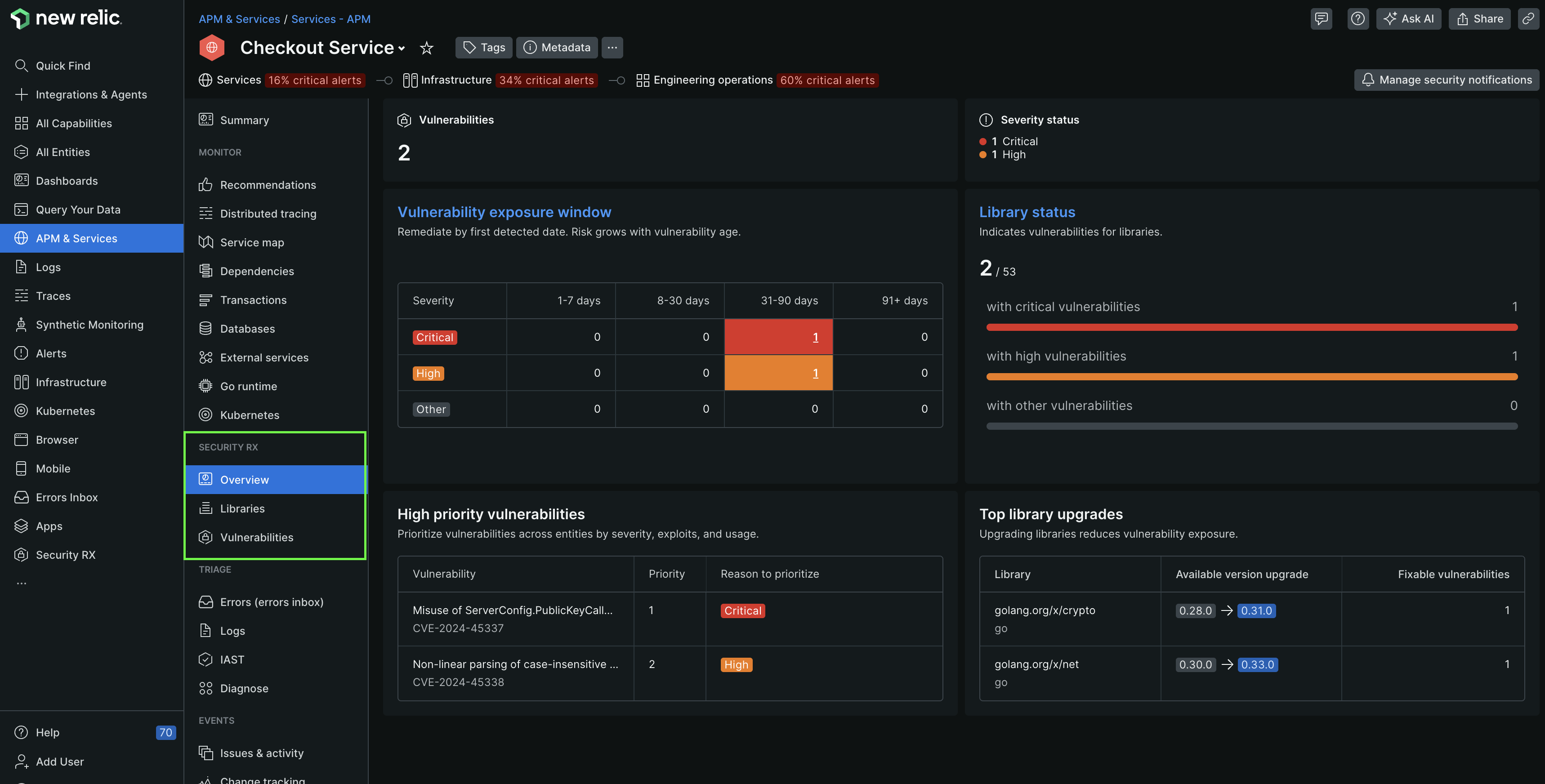
one.newrelic.com > All capabilities > APM & services > (select an entity) > Security > Overview
The Security RX Overview page for an entity gives you a high level overview of the security of your application or service. Curated dashboards provide you an overall security of your application or service, including:
- Total vulnerabilities
- Vulnerability exposure window
- Top five vulnerabilities in accordance with the priority rankings
- Vulnerability breakdown by type
- Libraries severity breakdown
- Top library upgrades
Triage, prioritize, and remediate vulnerabilities
To view all vulnerabilities of your service or application, in the left navigation pane, under Security RX section, select Vulnerabilities.
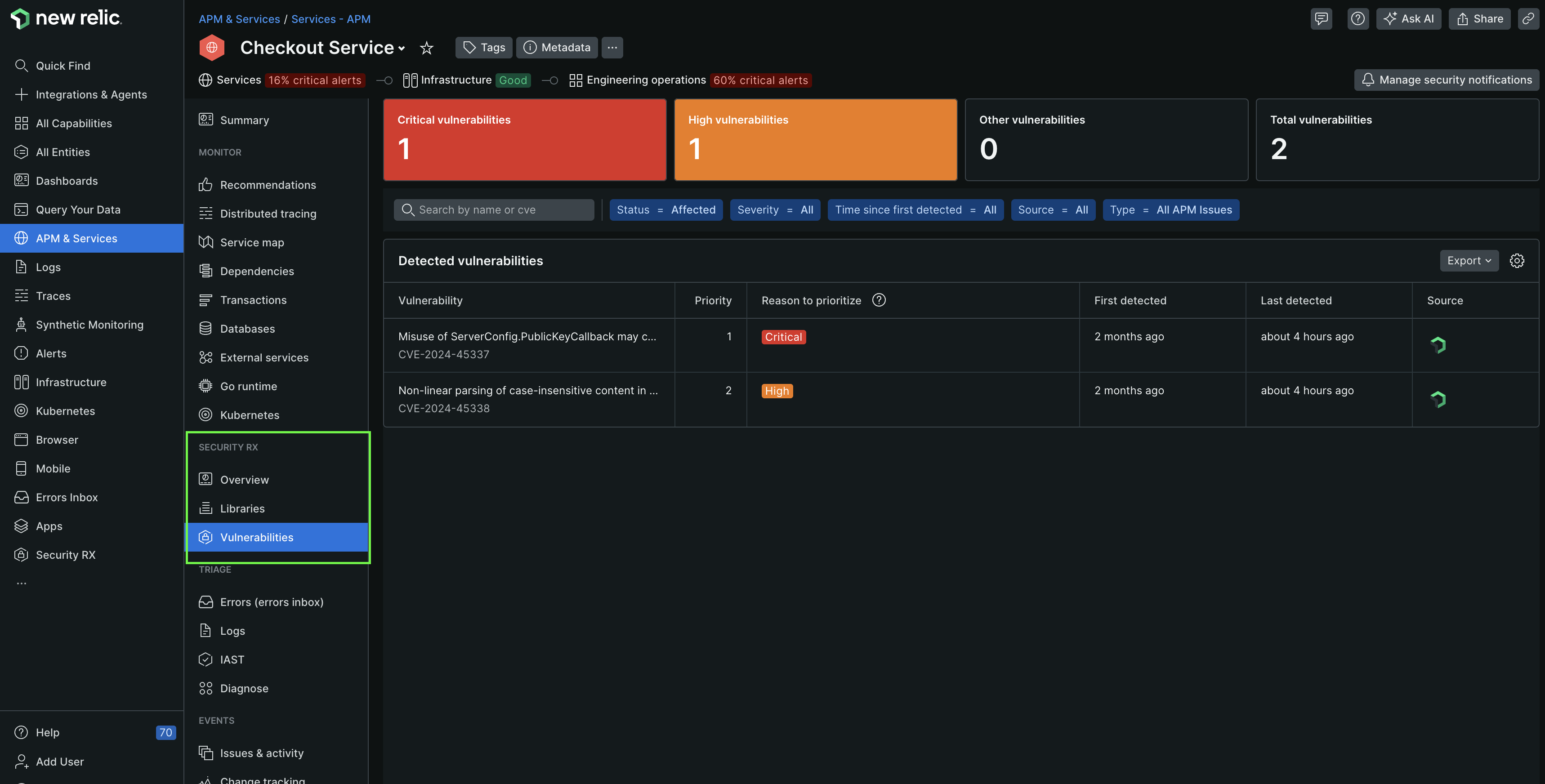
one.newrelic.com > All capabilities > APM & services > (select an entity) > Vulnerabilities
This page shows you all open vulnerabilities and allows you to filter them by attributes such as priority, severity, number of affected entities, impacted entity type and source. Clicking on a specific vulnerability provides detailed information about its severity, sources, vulnerability status change logs, and much more.
What's next?
Manage organization vulnerabilities
View vulnerability surface area across all applications
Understand prioritization
Learn how vulnerabilities are ranked by risk
Manage vulnerability status
Mark vulnerabilities as Ignored, Affected, or Fixed
Set up alerts
Get notified when vulnerabilities are detected in your applications