The change tracking feature allows you to track the effect of various changes on your customers and systems. For example, if you make some deployments, you can use the change tracking feature to monitor the results in New Relic UI charts. You'll also get access to features that help you understand the effects of those changes.
Instead of designating which changes you want to monitor by using our CLI or a CI/CD integration, you can do the same thing using GraphQL mutations via our NerdGraph API.
For general information on using NerdGraph, see Introduction to NerdGraph.
Prerequisites
- NerdGraph requirements
- User permissions: Any user type can use NerdGraph to create change events and deployment markers, but only full platform users can access the curated change tracking UI experiences
Use change tracking events to monitor any modification to your system, including deployments, feature flags, business events, operational changes, or custom activities.
This method offers several benefits:
- Flexible data: Add custom attributes, categories, and types to your events.
- Broad visibility: You get a unified view of changes across all your accounts.
- Easy to use: You don't need to know an
entity.guid. This feature is powered by New Relic's flexible entity search.
To create an event, use the changeTrackingCreateEvent NerdGraph mutation. The events are stored in NRDB as changeTrackingEvent event type.
Argument | Datatype | Required? | Description |
|---|---|---|---|
| String | Yes | Categorize changes using various category and type combinations. You can either use our predefined standard categories and types or define your own custom ones.
|
| Array of String | No | The
|
| String | Yes | Find a specific entity within New Relic. You can search by using its specific entity guid using the
|
| String | No | If you select |
| String | Yes | The You can use a predefined standard
|
| String | No | If the |
| String | No | If the |
| String | No | If the |
| String | No | If the |
| String | No | A description for the change tracking event. For example: |
| String | No | A TIPNew Relic recommends using the |
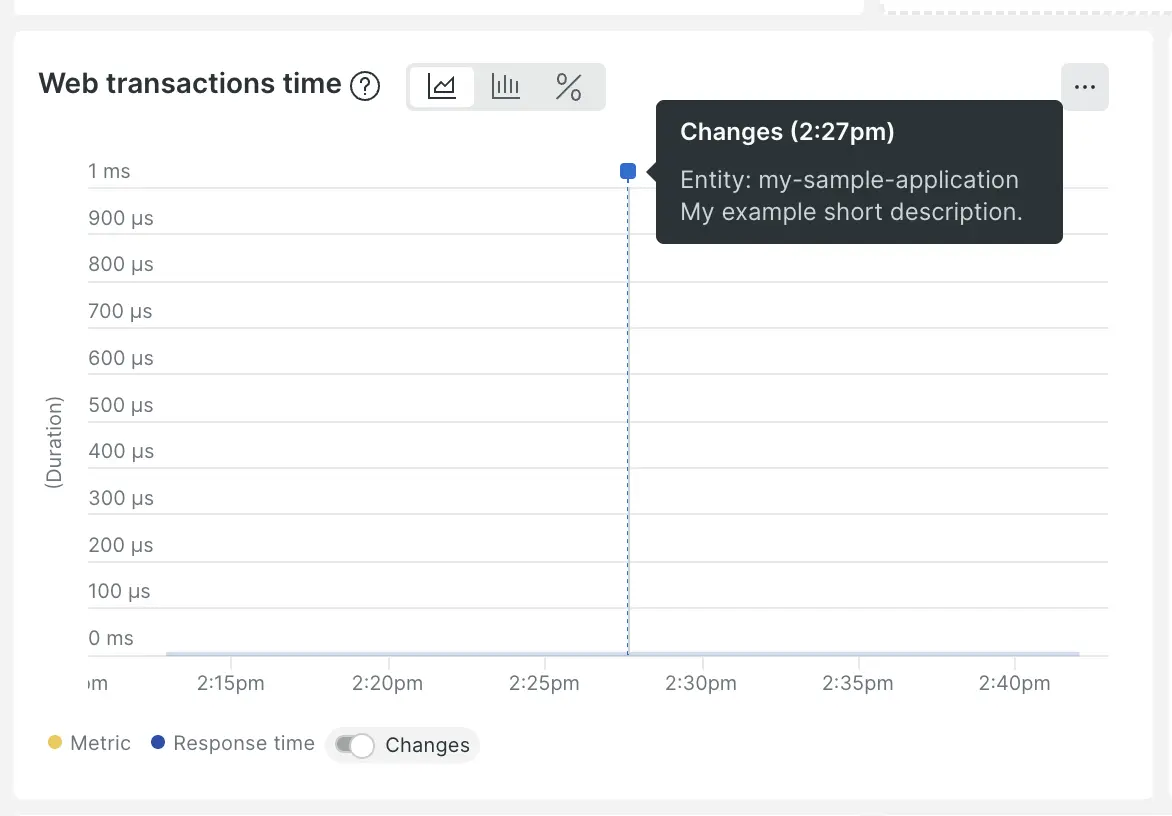
| String | No | A short description for each change lets you identify the change events sent to New Relic quickly. If left blank, an autogenerated description is created that includes the entity, user, and version. The short description appears in the following areas:
|
| String | No | User identification or a valid email address. For example, user: |
You can define your custom attributes as key-value pairs to add additional metadata to change events.
Parameters | Datatype | Description |
|---|---|---|
| Object | A
|
To prevent naming conflicts with default attribute names and NRQL keywords, the following custom attribute names are restricted:
accountIdagoandappIDasautobeginbegintimecategorycategoryTypechangeTrackingIdcomparecustomAttributescustomTypedaydaysdescriptionendendtimeentity.domainentity.guidentity.nameentity.typeentityGuidentityNameexplaineventTypefacetfromfb.inputgroupIdhostnamehourhoursinislikelimitlogminuteminutesmonthmonthsnotnulloffsetorplugin.typerawsecondsecondsselectsincetimeseriestimestamptypeuntiluserweekweekswherewith
New Relic automatically sets the timestamp and changeTrackingId attributes. You can provide the timestamp value as long as it is within one day before or after the current time. However, the changeTrackingId must be unique and will always be generated by New Relic.
Parameters | Datatype | Description |
|---|---|---|
| String | The |
timestamp |
| The ImportanteTimestamps must be applied within +/- 24 hours of the current time when the NerdGraph call is made, or the payload will be rejected. |
Sample mutations
The following examples show NerdGraph mutations, with their required and optional attributes, for creating tracking markers:
mutation { changeTrackingCreateEvent( changeTrackingEvent: { categoryAndTypeData: { categoryFields: { deployment: { version: "1234" } } kind: { category: "deployment", type: "basic" } } entitySearch: { query: "id = 'ENTER YOUR ENTITY GUID HERE'" } } ) { changeTrackingEvent { category categoryAndType changeTrackingId customAttributes description entity { name guid } groupId shortDescription timestamp user type } messages }}mutation { changeTrackingCreateEvent( changeTrackingEvent: { categoryAndTypeData: { kind: { category: "BUSINESS_EVENT", type: "CONVENTION" } } user: "testUser" shortDescription: "sample activity event description" description: "sample event description" groupId: "testGroup123" customAttributes: { isProduction: true region: "us-east-1" instances: 2 deployTimeMs: 10.5 } entitySearch: { query: "id = 'YOUR ENTITY GUID HERE'" } } ) { changeTrackingEvent { category categoryAndType changeTrackingId customAttributes description entity { name guid } groupId shortDescription timestamp user type } messages }}mutation { changeTrackingCreateEvent( changeTrackingEvent: { categoryAndTypeData: { kind: { category: "External Event", type: "Cloud Provider Outage" } } user: "product@example.com" description: "Cloud Provider outage for US-East for Production customer database" entitySearch: { query: "id = 'YOUR ENTITY GUID HERE'" } } dataHandlingRules: { validationFlags: [ALLOW_CUSTOM_CATEGORY_OR_TYPE] } ) { changeTrackingEvent { category categoryAndType changeTrackingId customAttributes description entity { name guid } groupId shortDescription timestamp user type } messages }}Use case examples for change tracking events
Here are example GraphQL mutations for creating change tracking events:
mutation { changeTrackingCreateEvent( changeTrackingEvent: { categoryAndTypeData: { categoryFields: { deployment: { version: "1.2.3" } } kind: { category: "deployment", type: "basic" } } entitySearch: { query: "id = 'YOUR ENTITY GUID HERE'" } } ) { changeTrackingEvent { category categoryAndType changeTrackingId customAttributes description entity { name guid } groupId shortDescription timestamp user type } messages }}mutation { changeTrackingCreateEvent( changeTrackingEvent: { categoryAndTypeData: { kind: { category: "BUSINESS_EVENT", type: "MARKETING_CAMPAIGN" } } user: "marketing@example.com" shortDescription: "Black Friday campaign launch" description: "Launched Black Friday marketing campaign with 30% discount" groupId: "blackfriday2024" customAttributes: { campaignType: "seasonal" discountPercent: 30 targetAudience: "premium_customers" } entitySearch: { query: "name = 'ecommerce-app' AND domain = 'APM'" } } ) { changeTrackingEvent { category categoryAndType changeTrackingId customAttributes description entity { name guid } groupId shortDescription timestamp user type } messages }}mutation { changeTrackingCreateEvent( changeTrackingEvent: { categoryAndTypeData: { categoryFields: { featureFlag: { featureFlagId: "new-checkout-flow" } } kind: { category: "FEATURE_FLAG", type: "BASIC" } } user: "product@example.com" shortDescription: "Enabled new checkout flow" description: "Rolled out new streamlined checkout process to 25% of users" entitySearch: { query: "id = 'YOUR ENTITY GUID HERE'" } } ) { changeTrackingEvent { category categoryAndType changeTrackingId customAttributes description entity { name guid } groupId shortDescription timestamp user type } messages }}Standard categories and types
For change tracking events, these are the valid predefined category and type pairs:
Category | Type |
|---|---|
|
|
|
|
|
|
|
|
|
|
Change tracking deployments provide specialized tracking for code deployments and infrastructure changes. This is the legacy method that focuses specifically on deployment events. You can create deployment markers using the changeTrackingCreateDeployment mutation. These markers are stored in NRDB as Deployment event type.
Sugerencia
New Relic recommends migrating to change tracking events using changeTrackingCreateEvent for better flexibility and feature support. Deployment markers will continue to work but have limited functionality compared to change events.
To track a change, such as a deployment, you must set the following:
Argument | Description |
|---|---|
| The |
| The version attribute value can be anything, although we recommend using the version number set during your build process. To see an example of how this can be done, see our Jenkins deployments plugin documentation. If you already report version numbers to New Relic or by some other means, we recommend using the same here to set yourself up for forthcoming features that will allow you to facet and correlate data by version. |
Sugerencia
If you are transitioning away from the legacy REST API, you'll need to start using your application's entity GUID instead of the appID. You can easily find the GUID in NerdGraph with this query:
{ actor { entitySearch(query: "domainId=INSERT_YOUR_APPID") { count query results { entities { entityType name guid } } } }}You can define some optional and useful attributes to add context to the change you are tracking. These attributes can also enable certain change tracking features.
Argument | Description |
|---|---|
| You can submit a URL or any string for the changelog attribute. For example: |
| You can submit any string for the |
| You can submit any string for the description attribute. For example: The description attribute may be where you choose to insert codified information from your internal deployment management processes. You can use IDs or tags you assign to each commit or deployment that describes organizational or business aspect of the work, for example, |
| You can submit any URL for the |
| You can divide changes related to deployments into different types. These types align with common deployment techniques, but there is also an
|
| You may want to group deployments in cases where you're making a series of changes to one or more entities or releasing many changes across many entities within your system. By setting the same The SugerenciaIn addition to using the |
user | Can be any string, for example, |
New Relic automatically sets the timestamp and deploymentId attributes. You can provide a timestamp value as an override, but deploymentId will always be generated by New Relic to ensure uniqueness.
Attribute | Description |
|---|---|
timestamp | The time at which the NerdGraph call was received. You can provide an override here as the number of milliseconds since the Unix epoch. For example: ImportanteThere is a firm limitation applied that all timestamps must be +/- 24 hours of the current time when the NerdGraph call is received or the payload will be rejected. |
| A unique identifier generated when the deployment is recorded. While you cannot set |
Deployment mutation examples
The examples below show how to create deployment markers using the legacy API:
mutation { changeTrackingCreateDeployment( deployment: { version: "0.0.1", entityGuid: "INSERT_YOUR_GUID" } ) { deploymentId entityGuid }}mutation { changeTrackingCreateDeployment( deployment: { version: "0.0.1" user: "INSERT_YOUR_NAME" timestamp: INSERT_MS_EPOCH_TIMESTAMP groupId: "78641" entityGuid: "INSERT_YOUR_GUID" description: "create a new marker" deploymentType: BASIC deepLink: "example.com/path" commit: "INSERT_A_COMMIT_HASH" changelog: "test log" } ) { changelog commit deepLink deploymentId deploymentType description entityGuid groupId timestamp user version }}